
A website changes hands more often than it changes design. The developer stops replying, the business gets sold, the person who set everything up five years ago has moved on, and one morning you are responsible for a WordPress install that nobody documented. Taking over a site you did not build starts there.
Most advice for that morning is the same short list. Change the passwords, run a security scan, update everything. None of it is wrong. It is the easy third of the job, and it puts things in the order most likely to break a site that was working fine when you got it.
Here is what the first week actually looks like when the site is not yours and nobody left notes.
A login is not ownership
The credentials you were handed form a chain, and wp-admin sits at the bottom of it. Lose the WordPress password and your host resets it in a minute. Lose the hosting account and the domain still points wherever you tell it to. Lose the domain and there is no site left to recover, whatever else you are holding.
- The domain first. It is the only account with no recovery path that runs through the others.
- DNS second, which is often a separate account from the registrar and usually a personal one.
- Hosting third, together with the mailbox that recovers it. Whoever reads that mailbox controls everything below this line.
- wp-admin last. The login everyone worries about first is the one you can always restore from the hosting panel.
Work down that order, and move each account to an address the business controls rather than one belonging to a person. While you are in there, check what renews automatically and on whose card. A certificate or a paid plugin renewing against an expired card is a site that stops working on a date nobody has in a calendar.
DNS is where the unpleasant surprises live. Redirects that somebody set up at the edge rather than in WordPress, a mail service authorized under records you cannot see, an old A record still pointing at a server that is about to be decommissioned. If email from the site starts landing in spam a week after you move hosting, that is almost always what happened:
Take a backup you have actually restored
- Impact
- High
- Effort
- An hour
Whatever backup system the site already has, treat it as unproven until you have restored from it. Panel backups fail silently for months. Backups written to the same server disappear with it. A backup plugin configured years ago may be uploading to cloud storage belonging to the person who just left.
Take your own copy on day one and restore it somewhere disposable to prove it boots. That copy does a second job that matters more later: it is the recorded state of the site before any change was yours. When something turns out to be broken in month two, that snapshot is how you tell whether you broke it.
Read the site before you edit it
The usual advice here is to take notes, which is why nobody does it. Write something narrower instead: one page describing what this site is made of. It needs to answer six questions.
- What is the theme, which exact version, and is there a child theme?
- Did somebody edit the parent theme directly? Those edits die at the next update.
- Which page builder is in play, if any? Its format is where the content actually lives.
- What sits in functions.php that no plugin put there?
- What is in the mu-plugins folder? Code there runs on every request and never appears on the Plugins screen.
- Which components are paid, and whose account do they renew on?
The second question has a mechanical answer, and it is the fastest hour you will spend on the site. Download a clean copy of the theme at the exact version installed, and diff the two folders. Every modification the previous developer made shows up in minutes, including the ones they had forgotten about. If you do not run diffs yourself, this is a cheap task to hand to somebody who does, and the output is worth more than any handover call.
Reference: where code hides on a WordPress site
When you inventory custom behavior, check all of these. Sites accumulate code in strange places over the years, and only the first one is visible in the admin.
- The Plugins screen, including anything deactivated but still installed.
wp-content/mu-plugins/: loads always, lists nowhere, has no deactivate button.functions.phpin the child theme, and sometimes in the parent.- Snippet plugins such as WPCode or Code Snippets, which keep PHP in the database.
- Drop-ins in
wp-content/:advanced-cache.php,object-cache.php,db.php. .htaccessandwp-config.php, favorite homes for redirects and hardcoded settings.
The update button is not step one
- Breakage risk
- High
- Right pace
- One at a time
An inherited site is usually an old site, and old sites stay upright because nothing moves. As of August 2026, about 39% of WordPress installs report a PHP branch that no longer gets security fixes, and PHP 7.4, unsupported since November 2022, still carries roughly 17% of them on its own. Neglected sites cluster in that tail, and the plugin versions you are about to install were written for a PHP the server may not be running.
Everything strange on an inherited site is either load-bearing or garbage, and on day one you cannot tell which.
There is a second problem the admin screens will not show you. When the WordPress.org directory pulls a plugin over an unpatched security hole, the sites already running it are never told. Patchstack counted 1,614 such removals in 2024. On your Plugins screen, a plugin that is up to date and a plugin that was withdrawn two years ago look identical: no update available.
So the pace is one change at a time, with the site checked between them, and PHP left until last because it is the change most likely to take everything down at once. Thirty updates in one afternoon means a breakage you cannot attribute to anything.
| Do it now | Wait | |
|---|---|---|
| Accounts | Move domain, DNS and hosting | Deleting old admin users |
| Backups | Take one, restore it once | Replacing the backup plugin |
| Plugins | Write down what is installed | Bulk updates and deletions |
| PHP | Find out which version runs | Upgrading the branch |
| URLs | Export permalinks and redirects | Changing the structure |
The changes that break things quietly
Some takeover damage announces itself with a white screen. The expensive kind does not. Changing the permalink structure because the old one looks wrong drops every URL the site has ever ranked for. Deleting an SEO plugin that seemed unused takes the redirect map and the page titles with it. Relaunching from a staging copy with the search engine setting still switched off can deindex the whole site, and nothing in the admin will look broken while it happens.
Export before you delete anything, and treat any URL change as a migration rather than a tidy-up. If a plugin looks pointless, find out what it does before it goes. On an undocumented site, unused and load-bearing look the same from the Plugins screen.
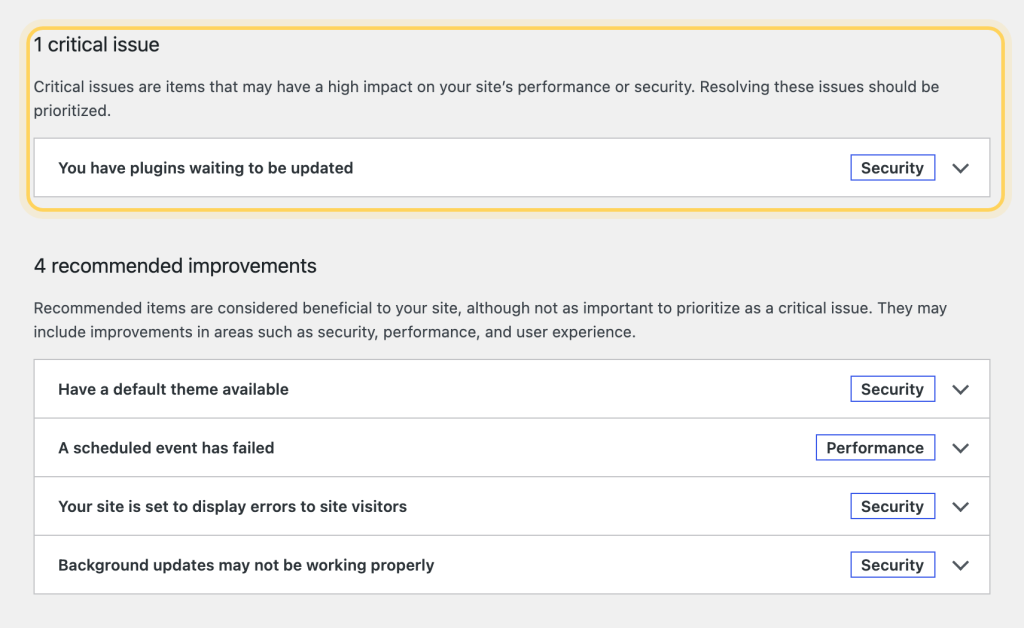
Then there is the possibility nobody wants to raise at handover: the site may already be compromised. Of the sites Sucuri cleaned up in 2023, about half carried at least one backdoor, and 55% of the infected databases held an admin account that nobody had knowingly created. Rotating every password, the first thing every checklist tells you to do, touches neither of those. If the site has been unmaintained for years, scan the filesystem and read the user list before you trust the login you were given.
What is installed matters as much as what is running. If you cannot account for where a theme or plugin came from, that is worth resolving early rather than after something goes wrong:

When the takeover is finished
It is finished when every layer of the site answers to an account the business controls, when the one page describing what the site is made of exists and is accurate, and when a backup has been restored at least once. At that point the updates you were told to run on day one become ordinary maintenance, because you finally know what you are maintaining.
None of this is fast, and the first week produces almost nothing anyone can see. It is still the difference between running the site and hoping it keeps running.
Common questions
What should I do first when I inherit a WordPress site?
Work down the account chain, because a login is not ownership: the domain outranks hosting, and hosting outranks wp-admin. Move each account to an address the business controls, check what renews automatically and on whose card, then take your own backup and restore it somewhere disposable.
Should I update everything on day one?
No. Updating everything at once is the fastest way to break a site that was working when you got it. Change one thing at a time with the site checked between changes, and leave PHP until last, because it is the change most likely to take everything down at once.
How do I find what the previous developer changed?
Download a clean copy of the theme at the exact version installed and diff the two folders. Every modification shows up in minutes, including the ones the developer forgot. Also check the mu-plugins folder, functions.php, snippet plugins and the drop-ins in wp-content.