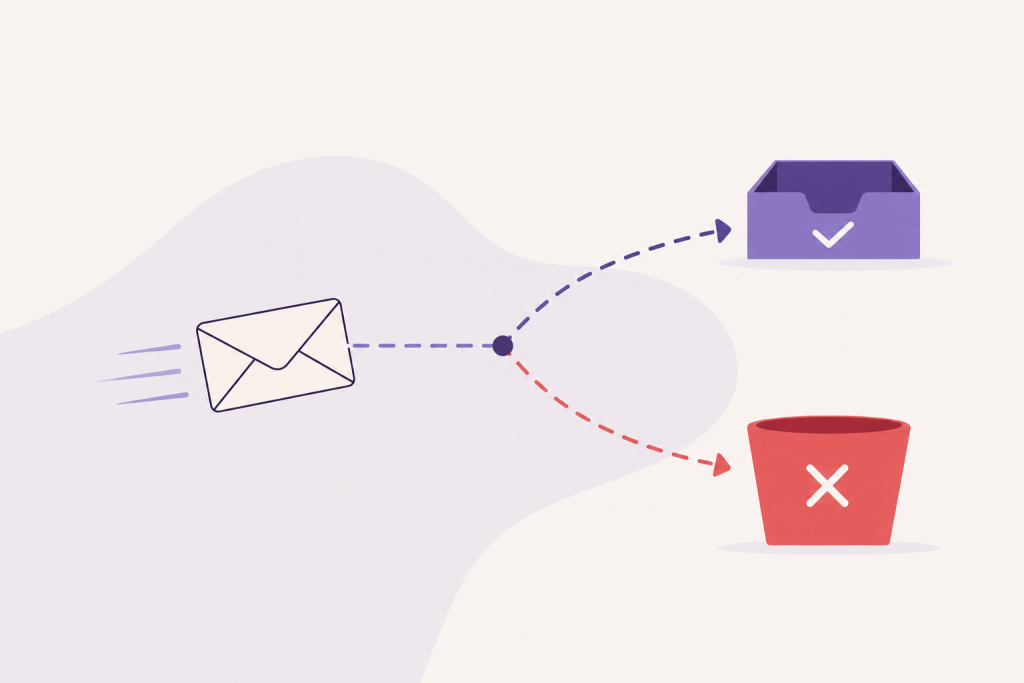

Emails usually land in spam when the receiving server cannot confirm the sender is trustworthy. The most common causes are missing SPF, DKIM or DMARC records, a poor or brand-new sender reputation, spam-like content, a broken SMTP setup, and, on WordPress, mail sent straight from the web server instead of through an authenticated service.
If you only do one thing, authenticate your domain with SPF, DKIM and DMARC. That single step clears more spam-folder cases than anything else. On WordPress the fastest way to get all three is an SMTP plugin routing your mail through a real sending service. The rest of this page is everything else, for when you need more.
Gmail blocks nearly 15 billion unwanted messages a day, a figure Google publishes itself (Google, October 2023), and it explains the harshness. At that scale no provider reads your mail to judge it. They rely on automated signals and decide in an instant. A filter cannot tell that you are a real business with something worth saying. It only sees whether your technical signals look trustworthy or look like a spammer’s.
What follows is the list of causes, split into the ones that apply to any email setup and the ones specific to WordPress, ordered within each group from biggest impact to most niche. Each carries a quick read on how much it matters and how hard it is to fix.
Problems on any site, any stack
What do SPF, DKIM and DMARC actually do?
- Impact
- High
- Difficulty
- Medium
They are three DNS records that together prove your mail is really yours:

- SPF is a public list of the servers allowed to send email for your domain.
- DKIM adds a cryptographic signature, so a receiver can tell the message arrived unaltered and really came from you.
- DMARC sits on top, tells receivers what to do when SPF or DKIM falls short, and reports who is sending mail in your name.
You need these at any volume, not just past a threshold. Authentication is the strongest signal that your mail is really yours. Bulk senders face a hard line: since 1 February 2024 Google and Yahoo require the full set from anyone sending more than 5,000 messages a day to their users (Gmail sender guidelines), and Microsoft joined in May 2025, with unauthenticated bulk mail increasingly bouncing rather than landing in spam. Below that limit you still need at least SPF or DKIM, so it applies to you either way.
Does buying an email list hurt deliverability?
- Impact
- High
- Difficulty
- Easy
Badly, and fast, so the rule here is short: skip them entirely. Bought and scraped lists are full of dead addresses and spam traps, addresses planted specifically to catch senders who bought their way in. Hitting one can mark your domain across every major provider, and that judgment is very hard to undo. Grow your list from people who opted in.
How much do sender reputation and engagement matter?
- Impact
- High
- Difficulty
- Hard
They are what everything else feeds into, and this is a discipline rather than a one-time fix: reputation is built slowly and lost fast. Gmail and Outlook watch whether people open your mail. If a large share ignores or deletes it unread for months, you get read as unwanted and your delivery priority slips.
The number Google publishes is stricter than the one usually quoted. It asks bulk senders to keep the spam rate reported in Postmaster Tools below 0.10%, and never to reach 0.30%, at which point delivery is hit hard and mitigation is off the table until the rate stays down for seven straight days (Gmail sender guidelines). Prune the addresses that stay silent, and resist mailing more often just to lift numbers. Once a domain’s reputation is burned, recovering it is slow and sometimes impossible, so protect it from the first send.
Should you send everything from one domain?
- Impact
- Medium
- Difficulty
- Medium
No. Send newsletters and password resets from the same place and one bad campaign can drag both down. Split the streams onto subdomains, for example mail.yourdomain.com for marketing and send.yourdomain.com for transactional mail. Reputation is then tracked per subdomain, so a problem with one stays off the other, and your critical account emails keep arriving during a rough campaign.
Does a brand-new domain get filtered?
- Impact
- Medium
- Difficulty
- Medium
Often, yes. A domain with no sending history gives providers no reason to trust it, and jumping from a handful of emails to thousands overnight looks like a botnet waking up. Warm it up: start with small batches to engaged recipients and raise the volume gradually over a couple of weeks before any large send.
Do you need an unsubscribe link and a physical address?
- Impact
- Medium
- Difficulty
- Easy
If you send any kind of bulk or marketing mail, yes to both. A visible one-click unsubscribe is now required by Gmail and Yahoo for volume senders, and making it easy to leave stops people reaching for the spam button instead, which hurts far more. US law (the CAN-SPAM Act) also requires a real physical mailing address in the footer. It reads as accountability, and its absence is a small strike against you. If you email people in the EU, GDPR adds a consent rule on top: you generally need permission before sending, rather than an opt-out afterward.
Can images and attachments send you to spam?
- Impact
- Medium
- Difficulty
- Easy
They can. An email that is one big image with barely any text reads to a filter like something built to hide its words, and it breaks the moment a client blocks images. The exact image-to-text percentage people quote is a myth, so aim for balance instead. Write real, selectable text, let images support it, and give every image an alt description. Go easy on links, especially to unfamiliar domains, and keep executable or script files out of your attachments. Mail systems block those outright, before any content scoring. The full list is at the foot of this page.
What is reverse DNS (PTR), and do you need it?
- Impact
- Medium
- Difficulty
- None with a mail service
A PTR record confirms that the IP sending your mail points back to a real hostname, and receiving servers check it early, sometimes before they will even accept the connection. Google lists a valid PTR among its baseline requirements for all senders, so it is expected rather than exotic. A managed mail service sets it up for you.
Do spam trigger words still matter?
- Impact
- Low
- Difficulty
- Easy
Much less than they used to. The old advice to avoid words like free, casino or crypto is mostly outdated. Modern filters lean on reputation and engagement far more than on any word list, and a trusted domain sails past an ordinary word. Write for a person, skip the shouting-caps-and-urgency style that real spam uses, and you have done enough here.
Problems specific to WordPress
A WordPress site can pass every check above and still land in spam, because of how WordPress sends mail by default.
Why does WordPress send email that fails authentication?
- Impact
- High
- Difficulty
- Easy
Out of the box, WordPress hands mail to the server’s built-in PHP mail() function. It leaves from your hosting IP, usually with no DKIM signature and weak or missing authentication, from a server whose job is serving pages rather than sending mail. That is why WooCommerce receipts and password resets so often vanish.
The fix is one plugin. Install an SMTP plugin (WP Mail SMTP, FluentSMTP and Post SMTP are common choices) and connect it to a transactional service such as Amazon SES, Postmark, SendGrid, Mailgun, Resend or Brevo. This is the same fix as the SPF, DKIM and DMARC section above: on WordPress, an authenticated sending service is how you get all three, and it takes care of your sending IP, its reputation and the PTR record in one move. For most sites this single change moves mail back to the inbox.
What should the WordPress From address be?
- Impact
- Medium
- Difficulty
- Easy
A real mailbox on your own domain. By default WordPress sends from something like wordpress@yourdomain.com, an address that is rarely a real mailbox. Set one that exists, and steer clear of free addresses like @gmail.com, which your server has no authority to send as. Most SMTP plugins let you set a proper From name and address in a single field.
Why do my contact-form emails fail?
- Impact
- Medium
- Difficulty
- Easy
Many form plugins default to putting the visitor’s own address in the From field, so a submission goes out as From: someone@gmail.com from your server. Only Google may send as Gmail, so the message fails SPF and DMARC on the spot. Set the form to send from your own domain and put the visitor’s address in Reply-To instead. You still reply to the right person, and the mail now authenticates.
Can plugins break your email?
- Impact
- Medium
- Difficulty
- Medium
Yes. When two plugins both try to handle sending, say an SMTP plugin and a security or caching plugin hooking the same function, they can duplicate headers or corrupt the MIME structure. The message is malformed before it reaches a spam filter, and the filter rejects it for being broken rather than for anything it says. If mail started failing right after you activated something, that timing is your clue. Keep a single mail-handling plugin in charge of sending.
Does shared hosting hurt deliverability?
- Impact
- Medium
- Difficulty
- None with a mail service
It can. On shared hosting you send from an IP shared with many other sites, and if any of them spam, their reputation drags down yours through no fault of your own. Moving to an external sending service takes that shared IP out of the picture.
Do you need a plain-text version of each email?
- Impact
- Low
- Difficulty
- Easy
A correctly formed email carries two versions at once: the HTML people see, and a plain-text fallback. Many WordPress plugins send HTML only, and that missing text part is a quiet signal of automated bulk mail on its own. A good SMTP or newsletter plugin adds the plain-text version for you.
How do you test before you trust it?
Confirm a change worked instead of guessing. Send a message to a free checker like mail-tester.com and it scores your authentication, content and setup, and lists what to fix. Google Postmaster Tools shows your domain’s reputation and spam rate as Google sees them. MXToolbox checks whether your SPF, DKIM, DMARC and PTR records are actually published and valid. Run these before a big send, well ahead of any complaints.
Quick checklist
Work down this list from the top.
- SPF, DKIM and DMARC records published and aligned
- Sending through an authenticated mail service, not a bare web server
- A real From address on your own domain
- Working one-click unsubscribe on bulk mail
- Physical mailing address in the footer
- No purchased or scraped lists
- Real text alongside images, every image with an alt attribute
- No executable or script attachments
- Separate subdomains for marketing and transactional mail
- On WordPress: one SMTP plugin, no conflicts, plain-text version included
Frequently asked questions
Why are my WooCommerce emails going to spam?
WooCommerce sends through the default WordPress mail, so order confirmations and receipts leave unauthenticated from your web server. Install an SMTP plugin, route them through a transactional service, and set a real From address on your domain. That fixes the large majority of WooCommerce delivery problems.
Can SPF alone stop emails going to spam?
On its own, no. SPF needs DKIM alongside it, and DMARC to tie the two together. DKIM in particular survives forwarding, where SPF alone falls short, so set up all three.
Why do Gmail emails specifically go to spam?
Gmail leans harder on authentication and engagement than most providers. Unauthenticated mail, and mail that recipients routinely ignore, are its two biggest triggers. Authenticate your domain, and keep your list to people who actually open what you send.
Reference: attachment types mail systems block outright
These file types are refused before any spam scoring, because they are how malware travels. If you need to share one, link to it from cloud storage instead of attaching it.
.ace .ade .adp .apk .app .application .appref-ms .appx .appxbundle .arj .bat .cab .chm .cmd .cpl .cue .diagcab .diagcfg .diagpack .dll .dmg .ex .ex_ .exe .hta .img .ins .iso .isp .jar .jnlp .js .jse .lib .lnk .mde .msc .msh .msh1 .msh2 .mshxml .msh1xml .msh2xml .msi .msix .msixbundle .msp .mst .msu .mjs .nsh .pif .pl .ps1 .ps2 .py .pyc .pyo .pyw .pyz .pyzw .reg .scf .scr .sct .shb .shs .smi .swf .sys .theme .vb .vbe .vbs .vhd .vhdx .vsmacros .vxd .website .ws .wsc .wsf .wsh .xll .zpaq