Let me start with the thing the plugin marketing will not tell you. If you do not broadly understand what your site is made of, no security plugin is going to make it safe. A scanner on top of an outdated server is a smoke alarm in a house with no walls.
WordPress has always been a large attack surface and it always will be. It runs an enormous share of the web, it executes third-party code by design, and that code was written by tens of thousands of people of wildly different skill. That is not a flaw somebody will fix in a future release. It is the shape of the thing.
So the real question is not whether your site can be broken into. It is how interesting your site is to somebody, and how much of their work you have already done for them. Almost all of what follows is about the second half.
You will not make WordPress unbreakable. You will make yourself an inconvenient target, which is what actually decides whether anything happens to you.
Here is the checklist, grouped by the layer each item belongs to. Work down it once, then revisit it twice a year.
Before any of it, know what you are defending against. Almost nothing that happens to a normal site is aimed at that site.
| What people picture | What happens | |
|---|---|---|
| Who | A person | A script |
| Target | Your site | Any site |
| Way in | A new exploit | A stale plugin |
| Defense | A scanner | Updates |
The server layer
Everything else on this page is worthless if this layer is rotten, and this is the layer most site owners never look at because it is not in wp-admin.
- PHP is on a version that still gets security fixes. Check the version in Tools, Site Health, and check it against the supported versions list. A site on PHP 7.4 is running code that stopped getting patches in 2022.
- HTTPS everywhere, with the certificate renewing automatically, and HTTP redirecting to it rather than answering on its own.
- File permissions are boring: directories 755, files 644, and
wp-config.phptighter if the host allows it. If PHP can write to every file in the install, so can anything that gets a foothold in PHP. - Nobody is on shared hosting where a neighbor’s compromised site can read your files. This is worth asking your host directly.
- Database credentials, API keys and SMTP passwords are not sitting in a file that anything can serve. Verify that
wp-config.phpreturns nothing when requested over the web.
WordPress hygiene
Known vulnerabilities in outdated plugins are the most common way a WordPress site is taken, by a wide margin. Not clever attacks. Old versions of things, found by scanners, exploited automatically.

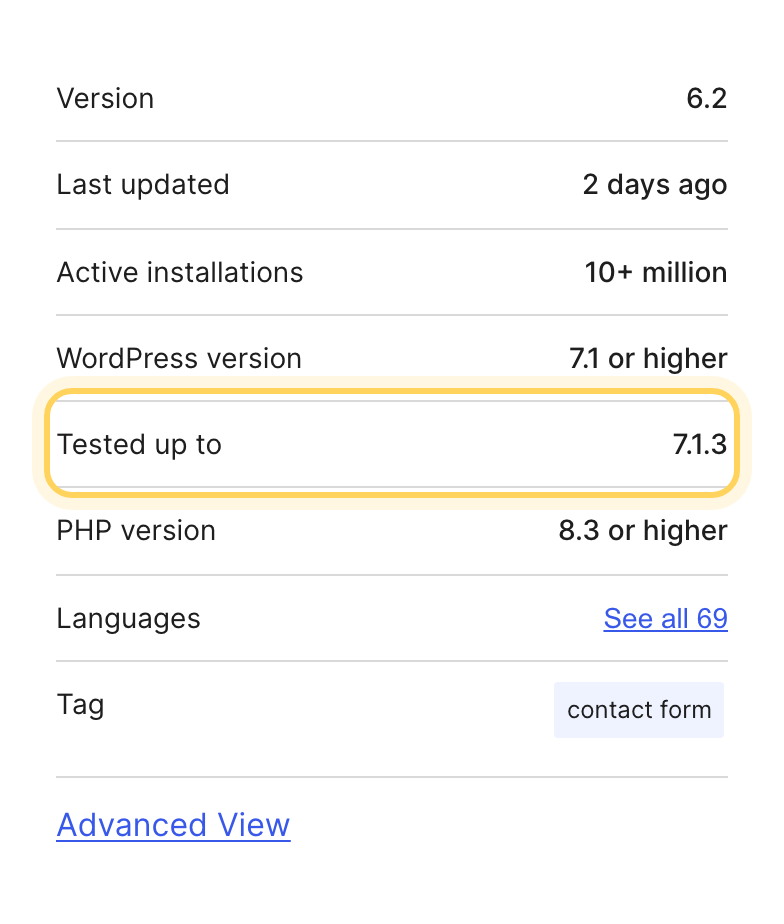
- Core, themes and plugins are current. Turn on automatic updates for anything you are not actively customizing, and check the rest monthly.
- Nothing installed that you cannot name a reason for. Deactivated is not removed: a deactivated plugin still has files on disk that can be reached directly, so delete it.
- Every theme and plugin came from somewhere you can name, and still has a maintainer. An abandoned plugin with a known hole never gets a patch.
- No nulled anything. Ever. A nulled theme is free because the payment is taken somewhere else.
- File editing in the dashboard is off. One line in
wp-config.php:define('DISALLOW_FILE_EDIT', true);and an attacker with a stolen admin session can no longer paste a backdoor into your theme from the browser.
The two posts behind those last few points, on where cheap code comes from and what free really costs:


Access and accounts
- Two-factor authentication on every account that can install code.
- A limit on failed logins, and rate limiting at the edge if you have a CDN in front of the site.
- Everyone holds the smallest role that lets them work, and the accounts of people who left are deleted rather than left sitting.
- Application passwords audited on every administrator account, and the stale ones revoked.
- Credentials are never sent through a ticket reply, a forum post or a marketplace comment.

Data and secrets
- The security keys and salts in
wp-config.phpare real, not the placeholder text. Generate a set from the WordPress salt generator and paste them in. Changing them logs everybody out, which is exactly what you want after any incident. - No secrets in the database where a plugin can print them onto a settings screen. Keys belong in
wp-config.phpor in the environment. - You know what personal data the site stores and why. Form submissions sitting in the database for four years are a liability with no upside.
- Database and admin traffic run over encrypted connections, including when you or a developer connect from outside.
The three lines worth having in wp-config.php
Above the line that says stop editing, and after a backup of the file.
define('DISALLOW_FILE_EDIT', true);
define('WP_AUTO_UPDATE_CORE', 'minor');
define('DISALLOW_FILE_MODS', true);
The third one is the strict option: it turns off installing and updating anything from the dashboard, which is right on a site whose code is deployed rather than clicked in, and wrong on a site somebody maintains from the browser. Pick it deliberately.
What the site connects to
- You have a list of every third-party script, font and widget the site loads, and a reason for each.
- Fonts are self-hosted. This is a privacy and a legal question as much as a speed one.
- Third-party scripts you keep are pinned with Subresource Integrity where the provider supports it, so a changed file is refused rather than executed.
- Everything that sends visitor data somewhere is named in the privacy policy.
Backups that work
Everything above lowers the odds. This is the layer that decides what happens when the odds go against you anyway, and it is the cheapest insurance in the entire list.
- Somewhere else. A backup on the same server is a backup the attacker also has.
- Far enough back. Intrusions are found weeks late, and a seven day window is often too short.
- Restored once. Until you have put one back, it is a file you hope is a backup.
They also run on a schedule that matches how often the site changes, and cover the database and wp-content together. A database dump on its own restores your words and none of your pictures.
If it already happened
Nearly every guide covers prevention and stops there, which is not much use at eleven at night when the homepage is showing something you did not write. The order matters here, and the instinct most people follow first is the wrong one.
- First move
- Take it offline
- Never
- Clean it by hand
- Take the site offline or put it behind maintenance mode. It is currently working for whoever took it, and possibly serving malware to your visitors.
- Copy the compromised state somewhere before you touch it. You will want it to work out how they got in, and cleaning first destroys that.
- Restore from a backup taken before the intrusion, rather than trying to remove what you can find. Cleaning by hand means being sure you found every file they left, and you will not be.
- Rotate everything: all passwords, the salts in
wp-config.php, database credentials, API keys, application passwords, and the hosting panel login. - Patch the way in before the site goes back up, otherwise you have restored a site that gets taken again the same week.
- Check whether personal data was exposed. In the EU that can carry a reporting obligation with a 72 hour clock on it.
What this list is not
This is a floor, not a guarantee. Working through it puts you ahead of most WordPress sites on the internet, which is the whole point: automated attacks go for whatever answers first, and being unremarkable is most of the defense available to a normal site. If you are holding payment data, health records or anything a person could be harmed by, you need somebody whose actual job this is, and no article is a substitute for that.
Security is not an event you complete. It is a maintenance habit, and a scanner plugin is the alarm rather than the lock. Most of what is on this page is one afternoon and then twenty minutes twice a year.
Some of it should not be your job at all. Whether a product updates cleanly, whether its license and update channel still work in three years, whether the code was reviewed before it shipped: those are decisions made by whoever built the thing, long before you installed it. Picking products from people who make them well removes a whole section of this list before you start.
Common questions
What is the most common way a WordPress site gets hacked?
Known vulnerabilities in outdated plugins, by a wide margin. Not clever attacks: old versions of things, found by scanners and exploited automatically.
What should I do first if my WordPress site is hacked?
Take the site offline or put it behind maintenance mode, copy the compromised state before you touch it, restore from a backup taken before the intrusion, rotate every password and key, and patch the way in before the site goes back up.
Is a security plugin enough to protect WordPress?
No. A scanner on top of an outdated server is a smoke alarm in a house with no walls, and if you do not broadly understand what your site is made of, no plugin makes it safe. A scanner is the alarm rather than the lock.