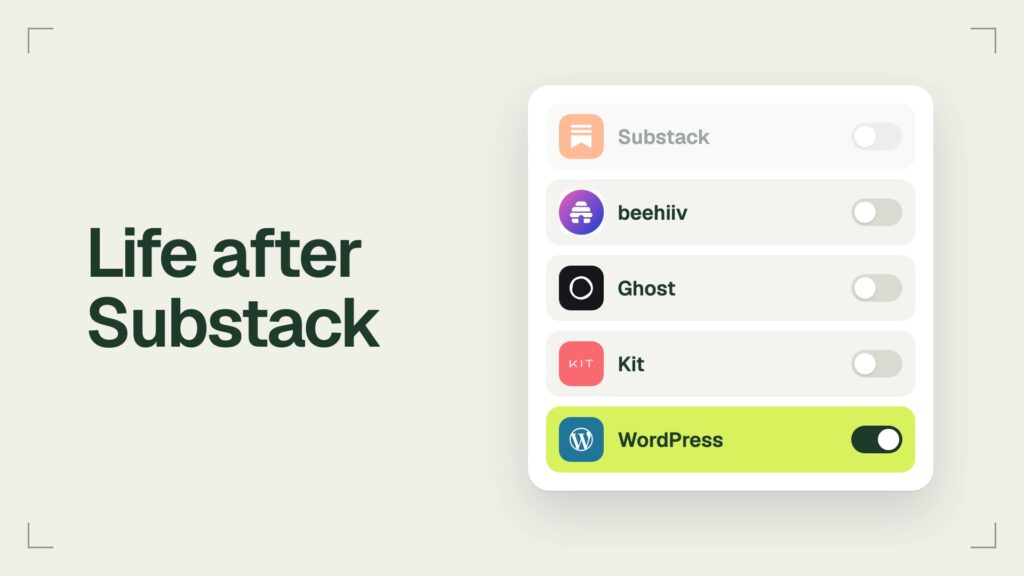

The closest Substack alternative for most writers is beehiiv. It is built for the same kind of magazine-style newsletter, it imports your posts and both your free and paid subscribers, and it takes no cut of your subscription revenue. Ghost costs less if you run a paid publication. Kit suits a big free list and Buttondown a small, plain one. WordPress gives you the most power if you have the skills and the time to build it.
Picking the platform is the easy part. The cost of a move sits in the paid list, the Stripe account behind it and the 10% that can follow you out the door. This review prices each option for a list of 1,000 and says what each one imports. A disclosure: jkdevstudio has sold WordPress themes since 2019, so we have a side when WordPress comes up. Every price below comes from the vendor pages, read on November 8, 2026.
- Publishing on Substack
- Free at any list size
- Substack fee on paid subscriptions
- 10%, plus Stripe fees
- Custom domain on Substack
- One-time $50
- What the Substack export holds
- Posts, subscriber list, statistics
What Substack charges, and when leaving pays
Substack is free to publish on and keeps 10% of every paid subscription, according to the Substack help center. Stripe adds 2.9% plus 30 cents per US card payment and 0.7% for recurring billing. Most alternatives below run on Stripe too, so card fees stay about the same wherever you go. The difference is the platform cut: Substack takes a share, while most of the others charge a flat plan.
A flat plan beats the 10% once your paid revenue for the year is more than ten times the yearly plan price. Take a list of 1,000 subscribers with 100 of them paying $8 a month, or $9,600 a year. Substack keeps $960 of it. beehiiv Lite at that size costs $588 a year on the beehiiv pricing page, and the Ghost(Pro) Publisher plan $348 on the Ghost pricing page, both billed yearly.

| Platform | Cheapest plan with paid subscriptions | Platform cut |
|---|---|---|
| Substack | Free | 10% |
| beehiiv | Lite, $49 a month billed yearly | 0% |
| Ghost(Pro) | Publisher, $29 a month billed yearly | 0% |
| Kit | Free, up to 10,000 subscribers | 3.5% plus 30 cents a payment, card fees included |
| Buttondown | From $9 a month, plus a $9 paid add-on | Not listed |
Below the break-even point Substack is the cheaper home. With 30 paying readers at $8 a month, the 10% comes to $288 a year, less than either plan.
beehiiv: the closest Substack alternative
If you run a magazine-style publication with a newsletter built in, beehiiv is the first alternative to look at. It does the same job as Substack, with your posts on a website and in the inbox, and it adds a built-in ad network, which Substack does not have, plus a website builder.
beehiiv is close to free while you grow. The free plan sends unlimited emails to up to 2,500 subscribers, and on the paid plans beehiiv takes 0% of your subscription revenue, so its cut does not rise with your income. The catch: the free plan cannot sell subscriptions, run ads or use the referral program. For those you need Lite, from $49 a month billed yearly ($59 month to month) at 1,000 subscribers, and the price climbs with the list. beehiiv also raised its prices in October 2026, by at least $10 a month depending on list size, as The Verge reported.
Four things come with the plans:
- Tools for viral growth. A referral program rewards readers who bring in friends, and recommendations let publications send readers to each other, free on every plan or paid on Lite and Pro.
- Ads without hunting for sponsors. The beehiiv Ad Network matches newsletters with advertisers on Lite and above, with no subscriber minimum, and pays by opens or clicks. Substack rules out publications whose main purpose is advertising, so ads are where beehiiv is far more open.
- Your own design. A website builder comes with every plan, from one custom page on Free to five on Lite and unlimited on Pro.
- Tiers for different needs: Free, Lite, Pro and Enterprise, from one seat to unlimited.
The move from Substack to beehiiv is well documented. The beehiiv Substack migration guide imports free posts from your URL, paid posts from the export zip and free subscribers from the CSV. Paid subscribers come over when you copy the customers from the Substack Stripe account into yours. It keeps the same /p/ post addresses as Substack, so old links keep working on your domain. It does not bring comments, photo galleries, categories or video and podcast posts, and readers who pay through the iOS app or got complimentary access have to be added by hand.
Ghost: the lower cost for a paid publication
Ghost costs less than beehiiv for a paid publication, also with 0% platform fees, and the software is open source if you ever want to host it yourself. Paid subscriptions start on the Publisher plan, $29 a month billed yearly or $35 month to month, for up to 1,000 members.
Its Substack migrator imports posts, free subscribers and paid subscribers in one pass, as long as you connect the same Stripe account Substack used. Plan for two things. If your Substack ran on a custom domain, you add redirects so old links do not break. And Substack keeps charging its 10% on the existing subscriptions until the fee is removed, which Ghost says its migration team can help with.
Moving to Ghost can save a lot. Sean Highkin told The Verge in May 2026 that he pays $2,052 a year on Ghost with an add-on, against $4,968 a year on Substack. We compared Ghost with WordPress in detail in a separate review.

Kit and Buttondown: email first
Kit and Buttondown are newsletter tools before they are publications. Both are good homes for a list; they differ on whether your paid subscribers can come along.
Kit
Kit is free for up to 10,000 subscribers and lets you sell a paid newsletter on that free plan, per the Kit pricing page. Each payment carries a 3.5% plus 30 cents fee, which includes card processing. The paid Creator plan costs $390 a year at 1,000 subscribers. The weak spot of Kit is the move from Substack: the Kit help center says there is no convenient way to migrate paid subscriptions, so you cancel them on Substack and ask readers to subscribe again. Old posts are recreated by hand.
Buttondown
Buttondown is free for the first 100 subscribers and then from $9 a month, with paid subscriptions as a $9 a month add-on, according to its pricing page. It is plain on purpose, and the Buttondown Substack guide imports posts, free subscribers and paid subscribers through the same Stripe account, so readers do not re-enter their cards.
WordPress: the most power, if you have the time
With good skills and some free time you can build something much more powerful on WordPress than any hosted newsletter platform. You get your own design, any plugin, any payment setup and a site that is fully yours. What you pay with is the hours you put into it.
Substack posts move to WordPress easily. The free Substack Importer plugin brings posts, images, podcasts and public comments, though not the mailing list. Paid billing is the hard part: a Paid Memberships Pro guide says the Substack billing relationship does not transfer cleanly, so readers add a card again on your site. If you use Jetpack for paid newsletters, it keeps 10% with no plan and 2% on its Pro or Complete plans, per Jetpack support.
If you go this way, a theme built for publishing saves most of the design work. Our Verba theme, for example, has subscribe forms that post to a Mailchimp list, co-authors and editorial parts such as a TL;DR and sources. For the sending side, our guide to newsletter plugins covers the options, and the full Substack vs WordPress comparison covers what else changes.

What moves with you, and what stays on Substack
Your posts and your free list move to any of these platforms. Paid subscribers who keep paying without doing anything move only to beehiiv, Ghost and Buttondown, because those three can take over the same Stripe customers.

Some things stay on Substack whichever alternative you pick. The Substack export holds your posts, your subscriber list and your statistics, and nothing else:
- Readers who pay through the Substack iOS app are not in your Stripe account, so no tool can carry their billing over.
- Your reach inside Substack stays there. Substack says on its beehiiv comparison page that more than half of new subscribers come from its own network, and that pipeline does not come with you.
- The 10% fee can keep running on subscriptions you moved, until Substack removes it from your Stripe account.
- Links to a name.substack.com address point at Substack, not at your new site. A custom domain avoids this: on Substack it costs a one-time $50, you own the domain, and you point it at the new host when you leave.
How to leave without refunding your paid subscribers
Move the paid list through Stripe, in this order, and never disconnect Stripe from inside Substack: the Buttondown guide warns that doing so cancels and refunds every paid subscription.
- In Substack, open Settings, then Exports, and create an export. Download the zip and the free and paid subscriber CSVs.
- Set up your paid tiers on the new platform at the same price and currency before you import anyone.
- Connect Stripe: the same account on Ghost and Buttondown, or a customer copy into your own account on beehiiv.
- Import posts and subscribers, then check the counts against the Substack dashboard.
- Pause billing on Substack so nobody is charged twice, and ask Substack support to remove its 10% application fee without cancelling the subscriptions.
- Point your custom domain at the new host and add redirects for any old addresses.
- Send one email from the new platform telling readers what changed and that they do not need to do anything.
When to stay on Substack
Substack is a good platform for writers who value free speech and want to write about things other platforms could easily ban. Its content guidelines call critique and discussion of controversial issues part of robust discourse, and they allow erotic literature. The beehiiv acceptable use policy is stricter: it bans explicit sexual content and newsletters that share materially false, inaccurate or misleading information, and beehiiv decides what counts.
There are two more reasons to stay on Substack: your paid revenue is below the break-even point, or most of your growth comes from Notes and recommendations. By its own count, more than half of new subscribers find publications inside its network. If that is true for you, leaving costs you readers as well as a fee.
Which Substack alternative to pick
If you need to choose fast and not for all the money in the world, beehiiv is the closest alternative to Substack. Pick by what you run:
Verdict: beehiiv is the closest Substack alternative for a growing newsletter; Ghost costs less for a paid publication; WordPress gives the most control if you can build it.
- beehiiv Pick it if you want the same kind of newsletter with ads, referrals and 0% of your revenue
- Ghost Pick it if you run a paid publication and want the lowest flat price
- WordPress Pick it if you have the skills and time to build a site that is fully yours
Questions writers ask before leaving
Why are writers leaving Substack?
The reasons writers gave The Verge in May 2026 were mostly money and control: Substack keeps 10% of paid revenue, while beehiiv and Ghost take 0% for a flat plan. Some also left over moderation choices, or because the network stopped bringing them readers.
Is Substack free?
Yes, publishing on Substack is free at any list size. If you turn on paid subscriptions, Substack keeps 10% of that revenue and Stripe charges its card and billing fees.
What is the best free Substack alternative?
For a free list, Kit is free up to 10,000 subscribers and beehiiv up to 2,500. If you plan to charge later, check the move first: beehiiv needs its Lite plan for paid subscriptions, and Kit cannot carry over paid subscribers from Substack.
Can I move paid subscribers off Substack without them subscribing again?
Yes, to beehiiv, Ghost or Buttondown, because all three take over the same Stripe customers. Readers who pay through the Substack iOS app are the exception: their billing runs through Apple and cannot be moved.
What to do next
Run the export today, even if you stay: it is your backup. Then put your own numbers into the math above, your paid readers times your price against the yearly plan, and you will know in a minute whether leaving pays. If it does, beehiiv is the fastest way out, and the seven steps above keep your paid list billing while you go.