
What to look for in a WordPress theme in 2026: what it installs, how it updates, whether it is built for the Site Editor, how honest its demos are, and what happens after you pay. The design is the last thing to check, not the first. Almost every regret we hear about a theme comes from the parts nobody looks at before buying.
We build and sell WordPress themes, and we have done it since 2019, so take this as a checklist from the inside. Some of what follows criticizes how themes, including the bestsellers, are still made. We dropped most of those habits ourselves, and we say where.
- Check first
- What the theme installs on day one
- Then
- Who updates each of those pieces
- Ignore
- The demo count
- Ask
- Is it built for the Site Editor and AI tools
- Read
- Support, license and domain terms
Sales numbers and star ratings will not tell you any of this. We explained why in a separate post:

1. Count what the theme installs
Activate the theme on a test site and count the plugins it asks for. Every one of them is code you now own, updated on someone else’s schedule, often only when the theme author ships a new release. A theme that needs eight plugins before it looks like its demo is eight update streams, not one product.
The installer behind most of those notices is the TGM Plugin Activation library. Its last release, 2.6.1, came out in May 2016, and its default branch has had no code change since 2020. WordPress added its own way to declare required plugins in 6.5, but themes are not supported, so a ten-year-old library still stands between you and your plugins.
Then comes the demo importer. One Click Demo Import runs on over a million sites, and its listing is tested only up to WordPress 6.9. The demo arrives as an XML file, and so does every widget and setting the author forgot to clean out of it.
The Kirki story
The options panel is the third layer, and Kirki shows what can happen to it. Kirki began in 2014 as a well-liked framework that themes bundled to build their Customizer settings. Themeum bought it in 2023 for just under $30,000. On April 29, 2026, version 6.0 turned it into a freeform visual website builder.
The next releases fixed fatal errors, including one that broke sites when a theme bundled Kirki, and users on the wordpress.org support forum reported headers, footers and text gone after the update. The builder code also brought CVE-2026-8206, an account takeover flaw rated 9.8 that attackers exploited in the wild. Kirki still runs on over 400,000 sites.
Kirki broke no rule. The wordpress.org developer FAQ tells authors to rebuild a plugin under the same name as a major version, because the directory cannot move users to a new one. That is exactly why a customizer framework could become a page builder overnight on every site with auto updates on.
You do not choose a theme. You choose every plugin it installs, and every company that will update them.
It has happened before
In 2014, Revolution Slider came bundled with hundreds of premium themes. When it was exploited, theme updaters did not update the plugin, and Sucuri reported over 100,000 WordPress sites compromised in the SoakSoak campaign, many by owners who did not know the plugin was there. In 2025 the demo pack installer of the Alone theme let anyone install plugins from a remote URL, and Wordfence blocked over 120,000 attacks on it.
This is the habit we dropped. Our themes ship no plugin installer library, no third-party demo importer and no options framework. We let go even of good dependencies like ACF. Everything comes from JKD Toolkit, our own framework. Its modules load only when a site needs them and run from one core in every theme and plugin we sell. We test them on one stack, so nothing goes stale between releases.

2. Ignore the demo count
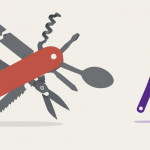
A multipurpose theme sells on its demo count, and the counts are huge. BeTheme advertises 700 or more prebuilt websites and Bridge 630 or more. Those are not 700 designs. They are one skeleton dressed 700 ways, and the variants share the same structure, so none of them can really be reworked into something else.
Read the fine print, too. The ThemeForest page for The7 lists 12 months of access to its pre-made websites library as part of the purchase, so the demos you bought the theme for are a subscription in disguise.
The widgets follow the same pattern. A big theme ships dozens of them, a post grid in three columns, a post slider with two slides, each written at a different time and reused across the vendor catalog. They pile up in the admin, and they are the first thing to break when a builder changes. When Elementor 3.0 removed HTML wrappers in 2020, it took 15 follow-up updates to settle, and Elementor 4 now adds a second widget system that every add-on pack has to rebuild for.
Our answer was to collapse the widget pile. In Verba, one post listing replaces the grid, slider, carousel and ticker widgets, and it works the same as a block, in Elementor, in meta box settings and in the Customizer. In Elementor, the widgets come in central groups declared once by a schema, so a new setting reaches every editor at the same time.
3. Check where WordPress is heading
Ask whether the theme is built for the WordPress of the next three years, not the last ten. AI site builders and assistants now cost about as much as a premium theme. WordPress.com Personal includes an AI website builder for $48 a year with hosting. Bestselling ThemeForest themes such as Avada cost $59 to $69 for the theme alone.
What a theme can still win on is structure. WordPress 7.0 ships an AI Client with a site-wide Connectors screen, and the MCP Adapter lets an assistant edit a site through abilities the site registers. That rewards themes with content in real fields, templates in the Site Editor and settings an assistant can read. It punishes themes that keep layouts in builder shortcodes and settings in a third-party framework.
- Is it a block theme, or at least built for the Site Editor first and builders second?
- Does it use the WordPress AI connector, or ask you to paste a key into its own panel?
- Can an assistant reach it over MCP, or is that not on the roadmap?
- Does generated content land in real fields, or in a text blob nobody can edit?
Our themes are moving there: FSE first, AI through the WordPress connector, MCP for site editing, and content generated into the fields the theme already has.
We compared the themes that already work this way, ours and others, in a separate roundup:

4. Read the after-sale terms
Most regret starts after the purchase, so read the support and license terms as carefully as the feature list. On ThemeForest, the item support policy includes 6 months of support, which you can extend to 12 at most. Updates reach all past buyers, but only as far as the author keeps shipping them.
The license matters as much. A standard ThemeForest license covers one end product: a second site needs a second license, and there is no multi-site or developer license for themes. The terms say nothing about moving a site to a new domain, so that depends on how the author checks your purchase code, and some themes check it once and never again.
The usual pattern looks like this. You buy in one place and download a zip from an email link. The purchase code is checked once. Moving a domain takes a ticket, support may come from a third party, feature requests disappear, and the docs and changelog stop after launch.
We built the Customer Hub to end that. One account holds your licenses and the sites they run on, so you move a key to a new domain yourself. It keeps every version you have had, your support threads, the docs, the changelog and a public roadmap where you vote and send requests. A license bought on jkdevstudio.com comes with 12 months of support and updates straight to the WordPress dashboard. Before you buy anything, from us or anyone else, read the docs and the changelog. If they are thin, the support will be too.
5. Test it before you commit
Run every theme through the same five-minute test on a staging copy before it touches your real site.
- Activate it with no plugins. If the site breaks or nags, you know what you bought.
- Import one demo, then open the Plugins screen and count what arrived.
- Check the last update date and read the newest changelog entry.
- Open the docs and search for one thing you will need, such as a domain move.
- Ask support one question before you pay, and time the answer.
Red flags and good signs
| Red flag | Good sign | |
|---|---|---|
| Plugins | A list of required ones | None required |
| Demo import | XML through a plugin | Built into the theme |
| Settings | Kirki, Redux or ACF | Stored by the theme |
| Demos | Hundreds of variants | A few real sites |
| Editor | Builder only | Site Editor first |
| After the sale | Zip and an email | Account, docs, roadmap |
Questions people ask before buying a theme
Is ThemeForest safe to buy from?
Yes, as a marketplace: payments, refunds and the license are handled by Envato. What it does not guarantee is how a theme is built or maintained, so the checks in this post still apply to every item you find there.
Should I use a free WordPress theme?
A free theme from wordpress.org is fine when it is maintained and needs few plugins; many of the best ones are free. The risk is the same as with paid themes: count what it installs and check when it was last updated.
Can I change my WordPress theme and keep my content?
Yes. Posts, pages and media stay in the database. What you lose is the layout, the widgets and the theme settings, plus anything a theme stored in shortcodes or its own fields, which is another reason to avoid themes that lock content into a builder.
How do I update a theme without losing my changes?
Keep changes out of theme files. Use a child theme for code, and in a block theme your edited templates are saved in the database, so a theme update leaves them alone until you reset them.
What to do next
Make a shortlist of three, run the five-minute test on each and pick the one that asked for the least. If you want to see a theme that passes it, browse our theme catalog and open any demo: the starter demos run with no plugins at all.