
To make a portfolio website with WordPress, you need a domain, a host, a theme that stays out of the way, five pages and a handful of project pages that explain your work. Building it is the easy part; deciding what the site is for is harder, because a portfolio is not there to show off or to prove how many projects you finished. It is there to show a future client how useful you can be to them.
This guide walks through how to make a portfolio website in six steps, for designers, photographers, illustrators and developers who show visual work, and it is blunt about what to leave out.
- You need
- A domain, a host, WordPress, a theme
- Pages
- Home, work, project pages, about, contact
- Projects
- Only the ones that match your next client
- Code
- None, with a block theme and the Site Editor
What is a portfolio website for?
A portfolio website is a sales page for your judgment: a client opens it to see what you would do for them. Every project on it should answer one question from the client side: can this person solve a problem like mine?
That changes what belongs on the site. A long grid of every job you ever shipped says you were busy. Three projects with the problem, your part and the result say you are useful. The same goes for decoration. Fancy transitions, oversized type and scroll tricks earn their place only when they show the importance and the integrity of the work itself.
There is a second reason to be strict. For years, an editorial personal portfolio proved skill through its own execution: if a designer or developer could build a site like that, they were clearly good. AI took that proof away. Framer now offers to create professional sites from a prompt, and WordPress.com lets you describe your site idea and have its agent build it. Literally anyone can produce that look with AI now, so the look is no longer an advantage. That is the main problem with it now: what is it still worth? My answer is very little, unless the work underneath carries it.
The work should be the loudest thing on the page. Everything else is the frame.
Step 1: get WordPress running
Register a domain with your name, pick a host that installs WordPress for you, and sign in to the dashboard. That part is the same for a portfolio as for any site. Our guide to starting a WordPress blog covers it end to end, including the setting that hides a new site from Google:

Why WordPress portfolio sites rather than a hosted builder? You own the files, the domain and the images, you can change the theme without rebuilding, and nothing stops you from adding a shop or a journal later. The usual trade is simple: hosted builders win on setup, WordPress wins on control and on what the site costs you a few years in.
Step 2: choose a theme that steps aside
Choose the theme whose layout disappears behind your work. Portfolio items should speak for themselves, so the less the layout spoils the first impression of the work, the better the portfolio.
In practice, that means four things, and I think together they are the basis of a good personal portfolio website:
- One column: one project at a time, at a size where it can be seen, instead of a mosaic of crops.
- A first screen with value: who you are, what you do and one way into the work, before any scrolling.
- Information that is easy to reach: contact, services and the project list are one click away from every page, on a phone too.
- Clean execution: quality shows in simplicity: consistent spacing, readable type, nothing that makes the visitor wait.

Motion is not banned. If you are a motion designer or a creative developer, interaction may be the work, and then it belongs on the page. The test is the same as for every other effect: does it show the work, or does it show the template?
Two of our own themes are built around exactly this choice. Auno, a minimal WordPress portfolio theme, keeps one calm column on a dark ground so the projects stay the loudest thing on the page. Each project can show as a gallery, a collage, a carousel or a video. Arche is for the case where interaction is part of what you sell. Visitors drag through your projects on the home page and open each one as a case study, and you can switch every effect off.
| Auno | Arche | |
|---|---|---|
| Layout | One calm column | Full screen slider |
| Home page | Projects in sequence | Drag through projects |
| Project page | Gallery, collage, video | Client, role, year |
| Motion | Quiet, can stay still | Every effect optional |
| Best for | Designers, illustrators | Creative developers, studios |
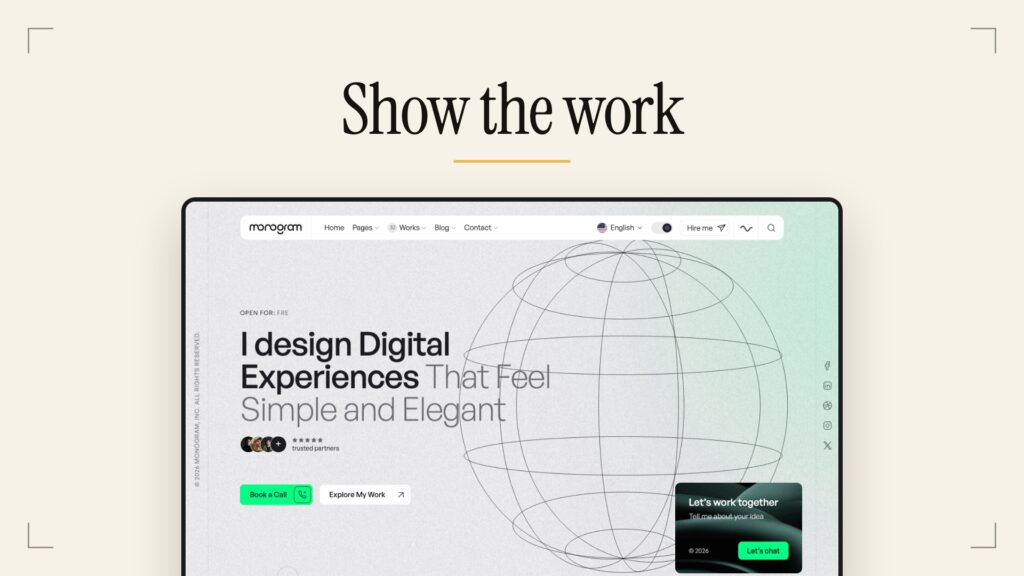
If you are a photographer or want a classic personal portfolio for one person, Monogram puts the projects first and keeps the frame quiet. The rest of the catalog is on our themes page.
Step 3: plan five pages
A portfolio website needs five pages: a home page, a work page, one page per project, an about page and a contact page. That is the whole answer to what to include in a portfolio website; anything more has to earn its place.

The first screen does most of the work
Most visitors judge the site on what they see before scrolling. In the Nielsen Norman Group eyetracking study published in 2018, people spent about 57% of their page viewing time above the fold and 74% in the first two screenfuls. So the first screen of the home page must carry the essentials:
- your name and what you do, in plain words (“brand designer for food companies” beats “creative”)
- who you do it for, if you have a niche
- one way into the work: the first project itself, or a clear link to it
- one way to reach you, visible without hunting
About and contact
The about page answers who the client would be working with: a photo, two or three short paragraphs, the clients or fields you know, and how you work. A portfolio website about me page is not a biography. The contact page needs an email address in plain text and, if you want one, a short form. Never hide contact behind a menu icon only; put it in the header or the footer of every page.
Step 4: build project pages a client can read
Every project page should answer three questions: what the problem was, what you did, and what changed. Images without that context leave the client guessing, and a guessing client moves on.
A structure that works for a case study portfolio, from the top of the page down:
- One context line: the client, your role and the year.
- The problem, in two or three sentences, in the client’s terms.
- Your part: what you decided and why, including the option you rejected.
- The result: what shipped, and what changed for the client, with a number only if you have a real one.
- The work itself: the images, video or live link, large, in the order that tells the story.
Choose the format by the work, not by the theme demo. A carousel suits a sequence, a video suits motion, a single large image suits a single piece. Again, fancy only where it shows the work: a parallax effect on a logo project shows the template, not the logo.
How many projects should you show?
Show fewer than you think: the projects that look like the work you want next, and drop the ones you would not want to be hired for again. The weak ones set the level for the strong ones, so a short list of explained projects reads better than a long grid.
Different fields need different proof:
- Photographers do better with series than with singles: a photography portfolio website reads well as a few consistent bodies of work.
- Graphic designers should show the system and the process behind the final piece, along with the hero shot.
- Web developers should link the live site and, where they can, the code, because a web developer portfolio website is judged by things that run.
Step 5: prepare images WordPress will serve fast
Export each image at the size your layout actually shows, and save it as WebP or AVIF where your host supports it. Then let the first image on the page load right away. Huge, slow images are a common reason a portfolio feels broken on a phone. Here is how WordPress handles them:
| What WordPress does | What you do |
|---|---|
| Since WordPress 5.3, uploads over 2560 pixels are scaled down to that size and the original is kept. | Export at the width your layout shows, usually well under 2560 pixels. |
| WordPress 5.8 added WebP uploads, but it does not convert your images to WebP on its own. | Export new images as WebP, or let an image plugin convert the library. |
| WordPress 6.5 added AVIF, if the server image library supports it. | Check Tools, Site Health, Info, Media Handling before you rely on it. |
| Settings, Media sets the thumbnail, medium and large sizes the theme can use. | Leave them unless your theme documentation asks for others. |
Two rules from Google keep the first screen fast. The big image at the top is usually the largest element on the page, and web.dev sets the bar for it at 2.5 seconds or less for 75% of visits. It also says not to lazy-load images that are likely to be in view when the page loads, so make sure your theme or an optimization plugin does not delay that first image.
For image optimization in WordPress beyond file size, Google image guidelines name alt text as the most important attribute and ask for descriptive file names: ceramic-studio-brand-identity.webp, not IMG_4021.jpg. Alt text also lets a client using a screen reader follow the project. If you want the full story of why speed usually comes down to the theme, we wrote it up here:

Step 6: check it before you share the link
Open the site on your phone, on mobile data, as a stranger would, and fix whatever makes you wait or search. These are the mistakes that cost portfolios the most clients:
- Huge images. A photo straight from the camera looks no better on a phone than a properly exported one, and it loads far slower.
- Projects with no context. A gallery without the problem and your part leaves the client guessing.
- Hidden contact. Put the email address one click away at most; a client who has to search for it may not bother.
- Effects that delay the work. Intro animations, preloaders and scroll locks make people wait for the template.
- Too many projects of mixed quality. The weakest piece sets the level of the whole site.
- Missing alt text. Images without it say nothing to search engines or screen readers.
- Broken mobile layout. Check the menu, the project pages and the contact form on a real phone.
Questions people ask
Can AI make my portfolio website?
Yes, tools such as Framer and WordPress.com can generate a site from a description. The catch is that the result looks like every other generated site, so it no longer says anything about you. Use AI for the setup if you like, and spend your own time on the project pages.
Can I build a WordPress portfolio myself?
Yes. With a block theme you edit the header, the footer and every template in the Site Editor, so no code is needed. The work is choosing projects and writing the three answers for each one.
How many projects should a portfolio have?
As few as it takes to show the work you want next. A short list of strong, explained projects reads better than a long grid, because a client judges you by the weakest piece they see.
Which platform is best for a portfolio website?
WordPress, if you want to own the site and change it for years; a hosted builder, if you want the least setup and accept its limits and price changes. Either way, the projects matter more than the platform.
What to do next
Pick three projects that look like the work you want next and write the problem, your part and the result for each. Only then pick a theme, and judge it by one test: does it make those three projects easier to see? If you want one built around that idea, start with Auno, or with Arche if interaction is part of your work.